
How to Save PLC Event Logs as Binary Files
Benefits of event-based logging
- Reduces data volume because data is recorded only when it changes
- Extends SD card life
- Efficiently saves fast changes
- Keeps only the data needed for fault analysis
Differences between CSV and binary saving
| Item | CSV | Binary |
|---|---|---|
| Readability | High | Low |
| File size | Large | Small |
| Speed | Slow | Fast |
| Analysis | Easy | Dedicated tool required |
How Event Log Saving Works
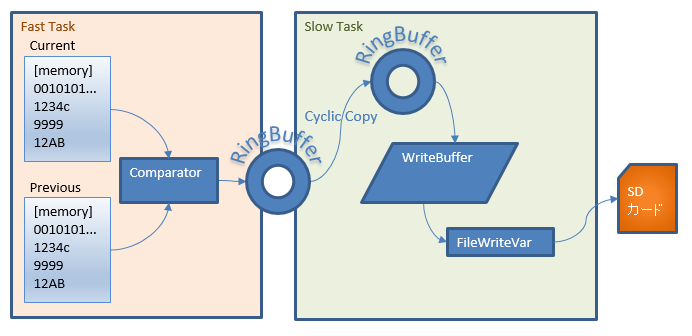
Data is recorded when a memory value changes
At a fixed period, the ring buffer is copied to a ring buffer for editing
The data accumulated in the copied ring buffer is arranged into WriteBuf
The arranged WriteBuf structure is written in its entirety to SD memory with FileWriteVar periodically or when it becomes full
The FileWriteVar instruction writes the memory state as-is to SD memory, so the result is a binary file
An application is needed on the host side to open the file
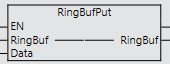
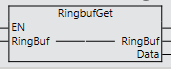
Ring buffer FBs used
Uses the ring buffer functions
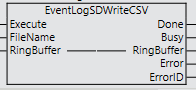
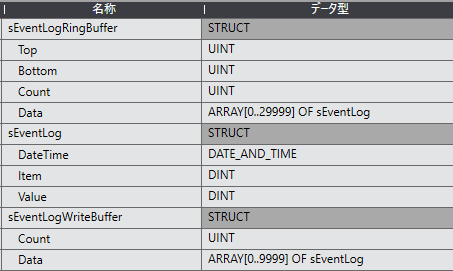
Structure for event logs
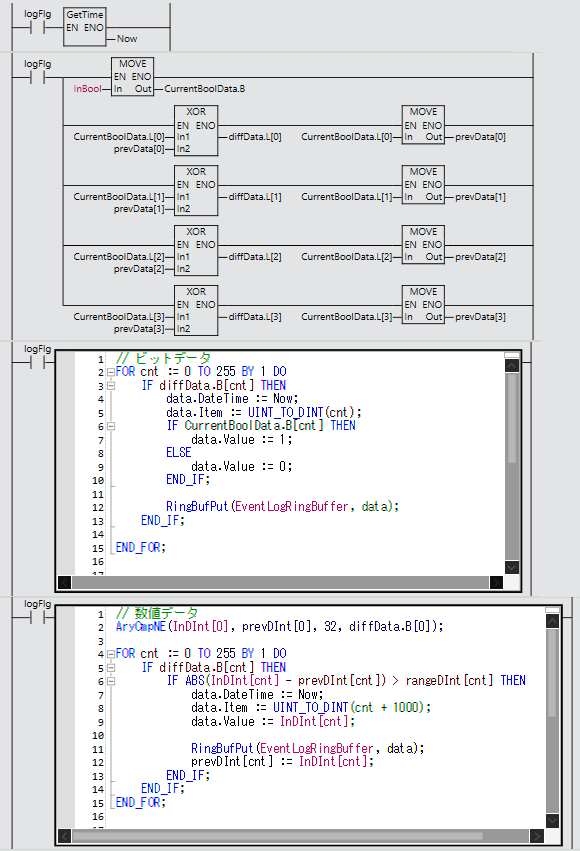
Processing on the primary task side
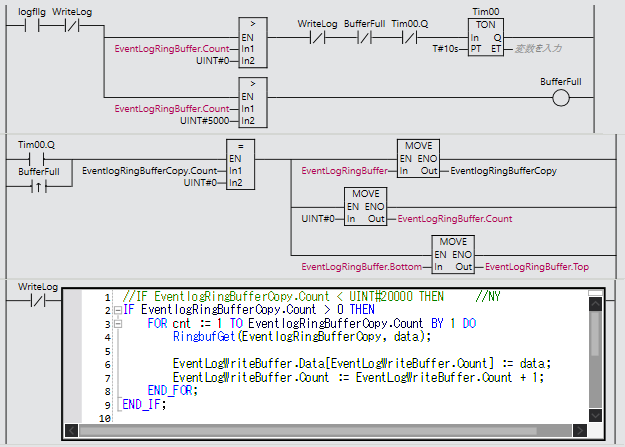
Processing on the periodic task side
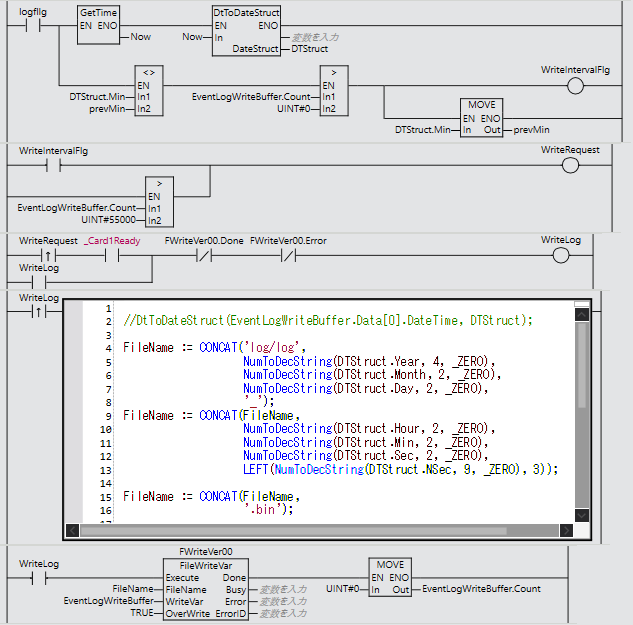
Saving to the SD card with FileWriteVar
In the primary task, when the value of a monitored memory changes, RingFilePut adds the time, variable and value to the buffer
For bit information, changes are detected by comparing with the previous value using XOR to monitor OFF→ON and ON→OFF
For numbers, the current value is subtracted from the previous value to check whether it exceeds the change range (rangeDInt)
In the periodic task, every 10 seconds or when 5000 data items have accumulated, the ring buffer is copied to the ring buffer for editing (EventLogRingBufferCopy)
The data accumulated in the copied ring buffer is added to the write buffer (EventLogWriteBuffer)
The time is monitored, and when the minute changes or the write buffer count exceeds 55000, the whole EventLogWriteBuffer structure is written to the SD card with the FileWriteVar instruction
FAQ
Is the file saved with FileWriteVar text?
No. It saves the structure memory as-is, so it is in binary format.
Why use a ring buffer?
To prevent data loss even when events are concentrated in a short time.
Can it be used on the NX102?
Basically, it can be used on the NX/NJ series.
