
日本語
English
How to Convert NX/NJ Structure Data to Sysmac Studio Trace CSV
Overview
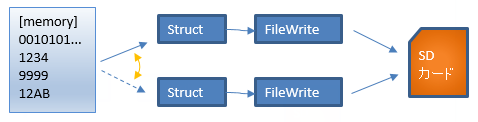
The primary task (FastTask) adds the data you want to record to a structure every scan, and when the structure is full it is saved to SD
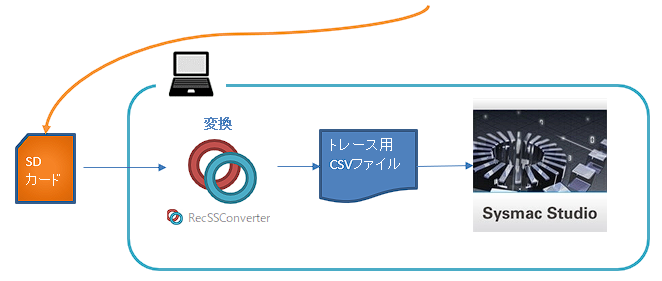
The saved binary file can be converted on a PC with RecSSConvert to a CSV file for Sysmac Studio trace, then imported into Sysmac Studio data trace for graph display
1. Preparation
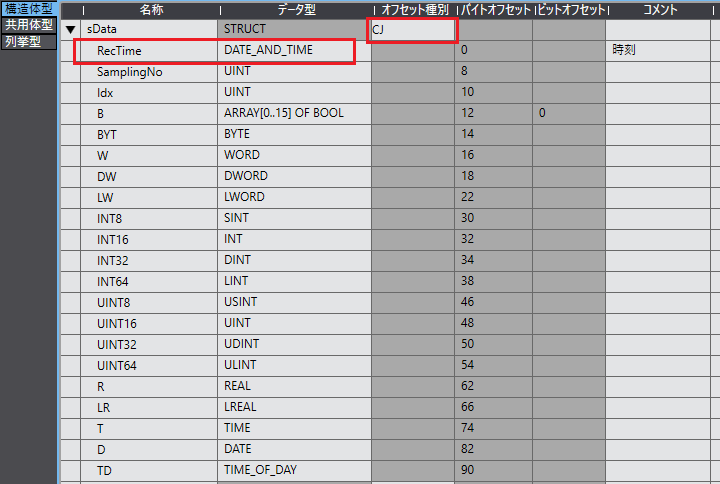
Rules for the structure to record
| Model | Maximum number of variables | Data type |
|---|---|---|
| NX701 NJ501 |
192 | Basic data types (except strings) Arrays |
| NX102 NX1P2 NJ301 NJ101 |
48 |
Set DATE_AND_TIME as the first item
Set the offset type to "CJ"
Example:
Create two structure arrays for storage
Example:

2. Collecting Data on the PLC
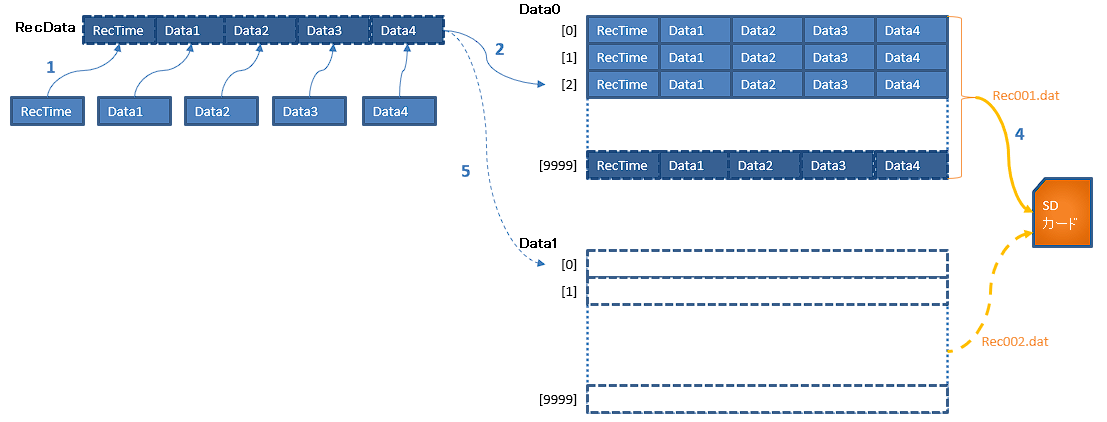
Flow of collecting (recording) data and writing it to a file
- Put data into RecData, a single variable of structure sData
- Insert RecData in order into the array of structure Data0, the storage destination
- Repeat 1 and 2 from the next scan onward
- When Data0 is full, issue a command to write it to the SD card with the FileWriteVar instruction
- At the same time, switch the storage destination to Data1
(saving takes multiple scans, so data is added on the Data1 side) - When Data1 is full, switch the storage destination to Data0 and write Data1 to the SD card under a different file name
- Repeat this
3. Conversion
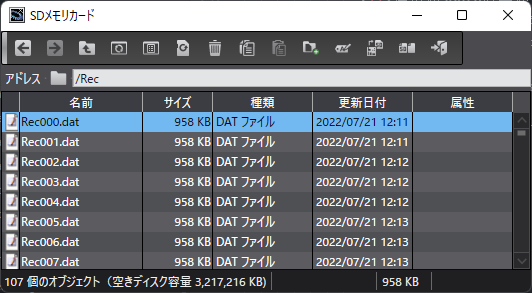
Binary file
The file created by the PLC looks like this
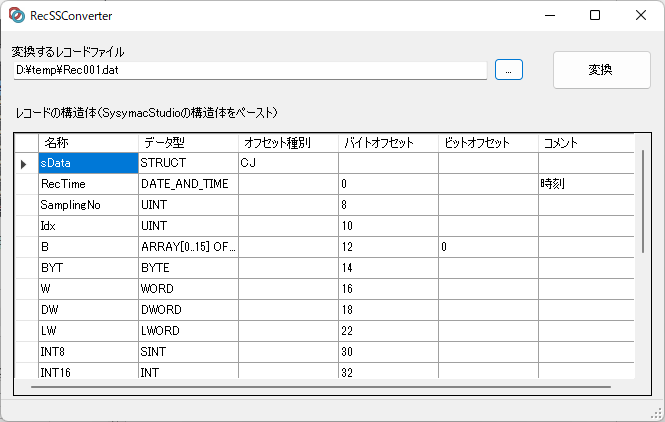
Converting the binary file to a CSV file for Sysmac Studio trace
- Start RecSSConvert
- Specify the binary file saved by the PLC as the record file to convert
- Paste the shape of the structure set in Sysmac Studio into the record structure area
-
Pressing the [Convert] button creates a file with the same name and the .csv extension in the same folder as the binary file
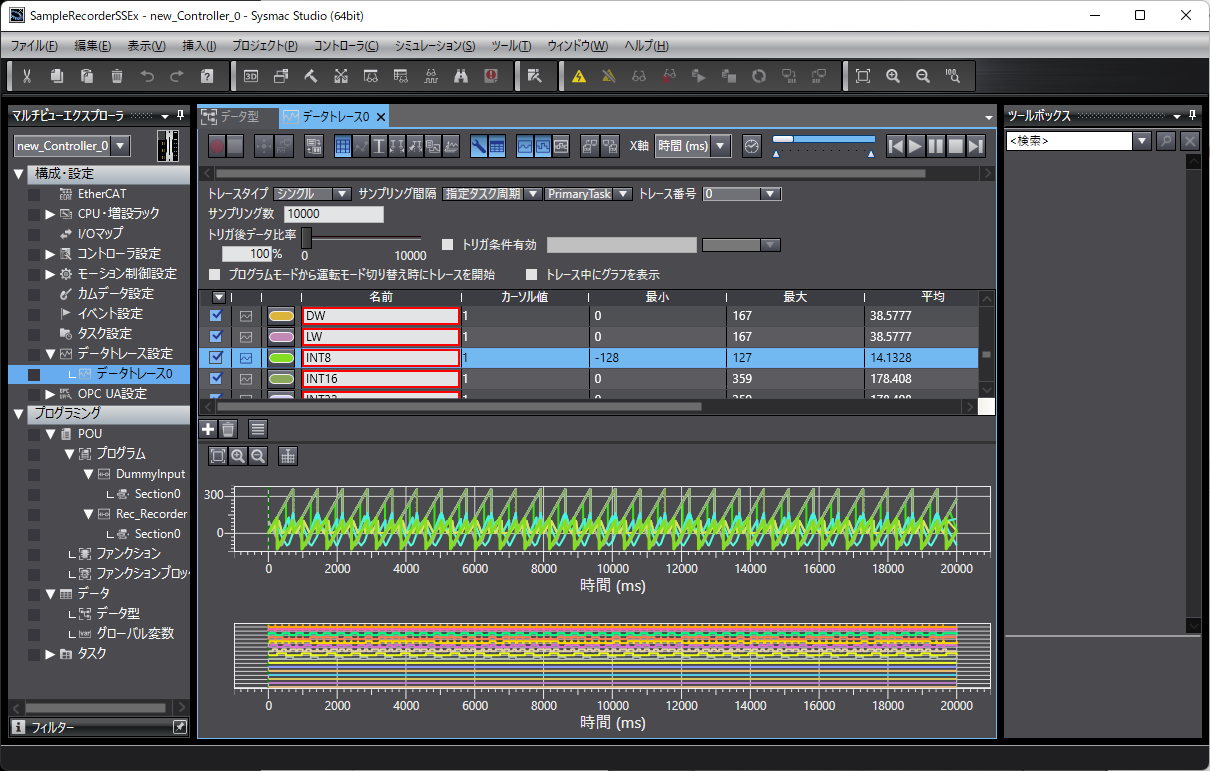
Importing into Sysmac Studio data trace
The converted csv file can be imported in the Sysmac Studio data trace screen
How-to navigator
Procedure for converting to a csv file for data trace
Download

If you found this site helpful, your support would be greatly appreciated