
日本語
English
 KVStat: KEYENCE KV Series PLC Status Monitor
Supported PLCs
- KV-8000
- KV-7000
- KV-5500
- KV-5000
- KV-3000
Main Features
- PLC information display
- Scan time monitoring
- Error history display
- PLC clock retrieval
- Operating mode display
- Operation recording retrieval
Use cases
- Equipment maintenance
- Diagnostics during commissioning
- Remote monitoring
- Troubleshooting
Overview
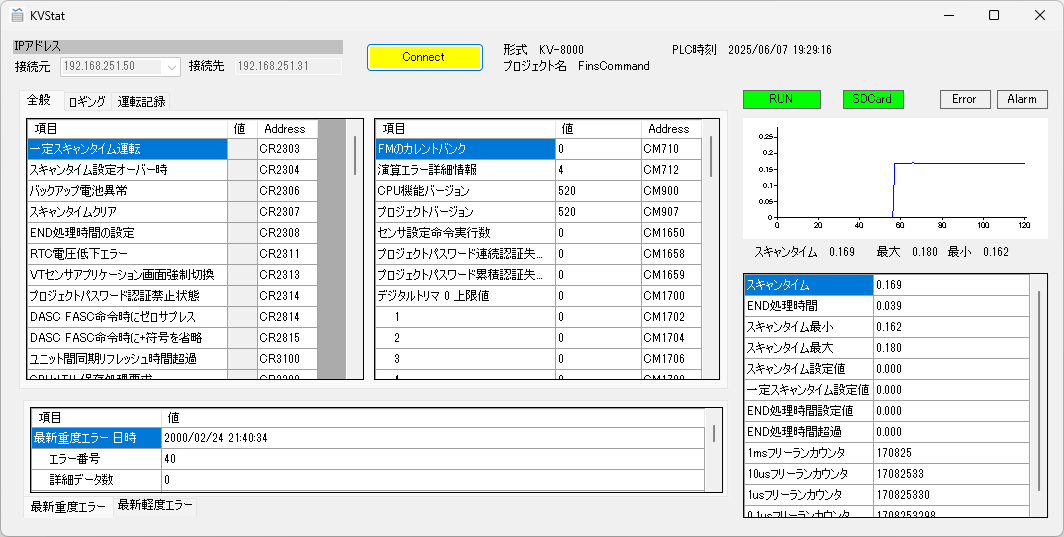
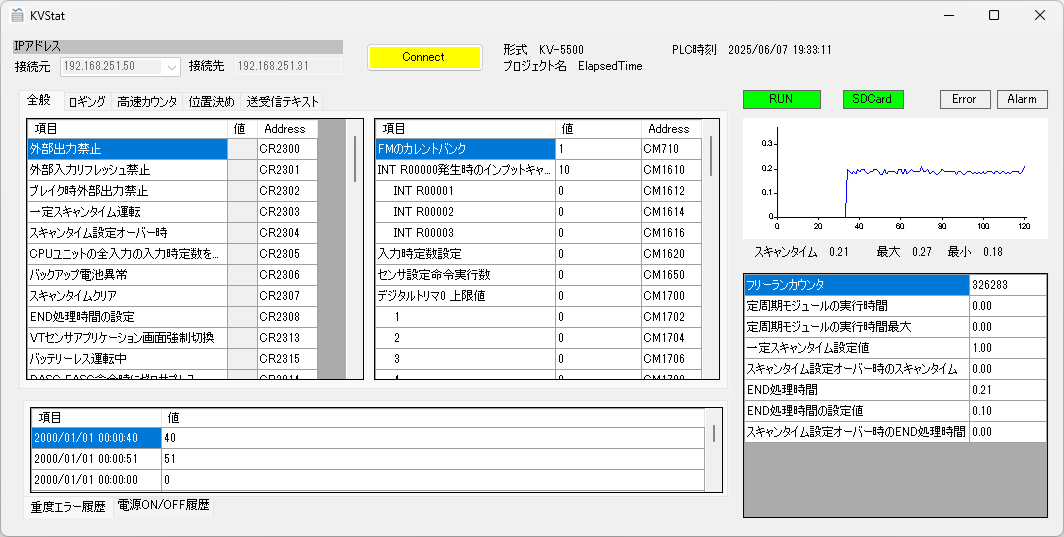
An application that displays the status of KV series PLCs
Supported models: KV-8000/7000/5500/5000/3000 series
Tested on: Win11
How to Use
Set the IP address of the source (PC) and the destination (PLC) and press the [Connect] button to read the PLC information, then periodically read the PLC status such as scan time
Displayed items
| Model | CPU unit model |
| Project name | KVS project file name |
| PLC time | PLC time |
| Operating mode | RUN / PROGRAM state |
| SDCard | Memory card present |
| Error | Major error occurring |
| Alarm | Minor error occurring |
| Scan time | Measured scan time (ms) |
| Max. | Maximum scan time (ms) |
| Min. | Minimum scan time (ms) |
| General tab | |
| Logging tab | Logging/trace function |
| High-speed counter tab | High-speed counters (KV5500/5000/3000 series) |
| Positioning tab | CPU positioning function (KV5500/5000/3000 series) |
| Send/receive tab | Text send/receive data (KV5500/5000/3000 series) |
| Operation recording tab | Operation recording status (KV8000 series) |
| Major error history tab | 20 entries of major error history (KV5500/5000/3000 series) |
| Power ON/OFF history tab | 20 power ON entries + 20 power OFF entries (KV5500/5000/3000 series) |
| Latest major error tab | Latest major error (KV8000/7000 series) |
| Latest minor error tab | Latest minor error (KV8000/7000 series) |
FAQ
Is KVStat free?
Yes, it is free to use.
Which operating systems are supported?
It has been tested on Windows 11.
Does it support the KV-8000?
Yes.
Download
By downloading, you are deemed to have agreed to the Terms of Use
If you found this site helpful, your support would be greatly appreciated