
Connecting to a PLC via OPC UA
What Is OPC UA?
OPC UA (Open Platform Communications Unified Architecture) is an industrial communication standard for connecting PLCs, SCADA, MES, the cloud and more.
It is vendor-independent and can be used on Windows, Linux and cloud environments.
Client comparison table
| Method | Difficulty | Use |
|---|---|---|
| UaExpert | Low | Connection check |
| Prosys | Low | Smartphone monitoring |
| Python FreeOpcUa | Medium | System development |
| C# UA-.NETStandard | Medium | Windows application development |
Overview

Let's connect to the PLC from an OPC UA client
We will try connecting in the following three ways
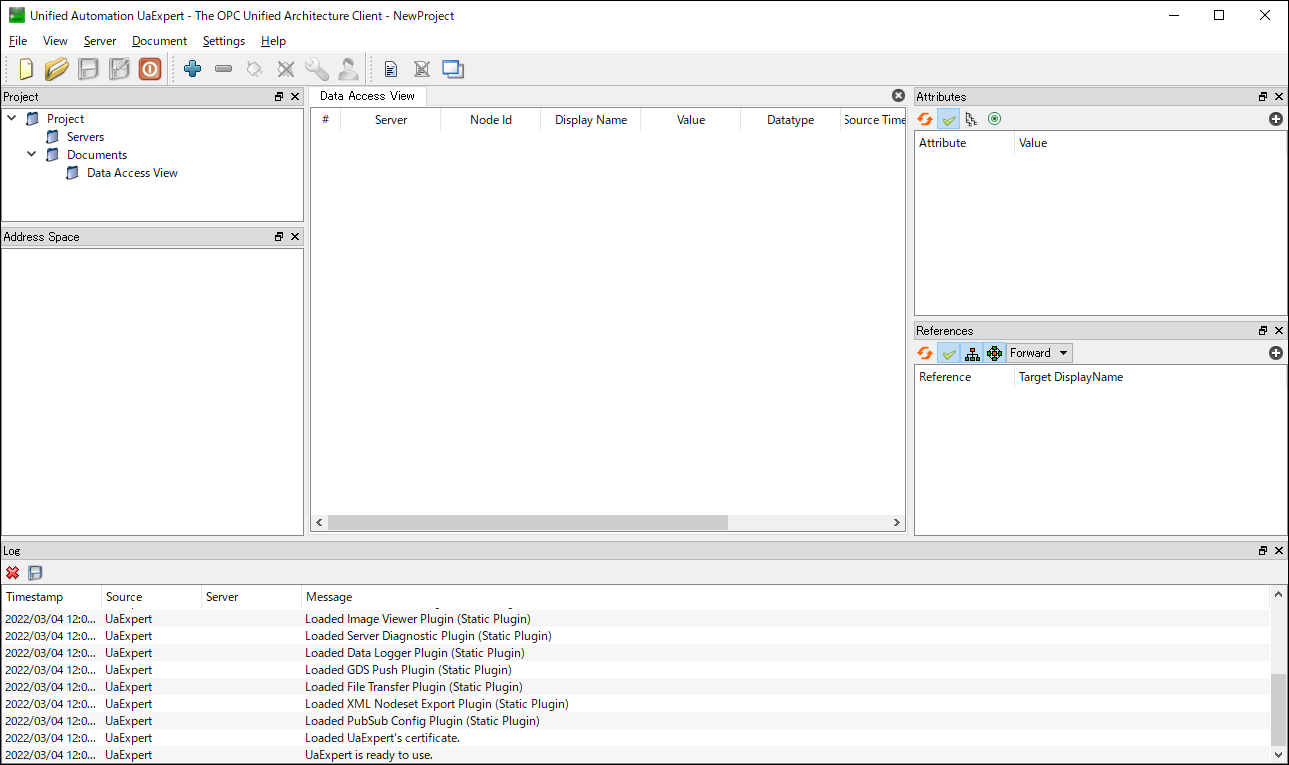
- PC application UaExpert
- Mobile app Prosys OPC UA Client (Android)
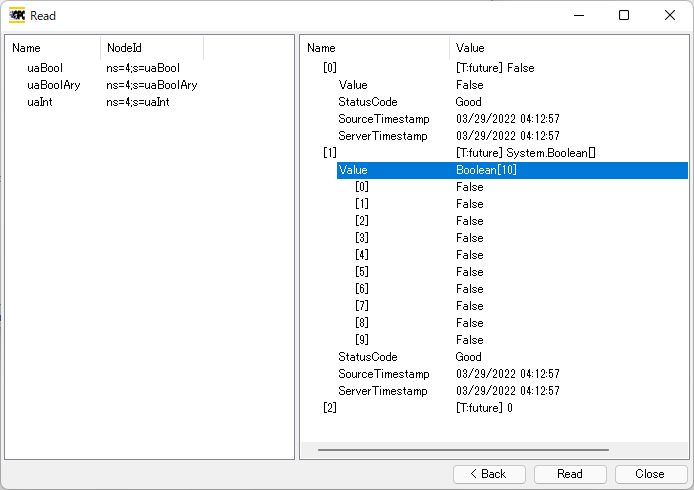
- Coding in Python with the Free OPC-UA Library
PLC Preparation (OPC UA Server)
Overall flow
- Set the OPC UA server to Use
- Synchronize with the PLC
- Security settings
- Create variables to publish
Set the OPC UA server to Use
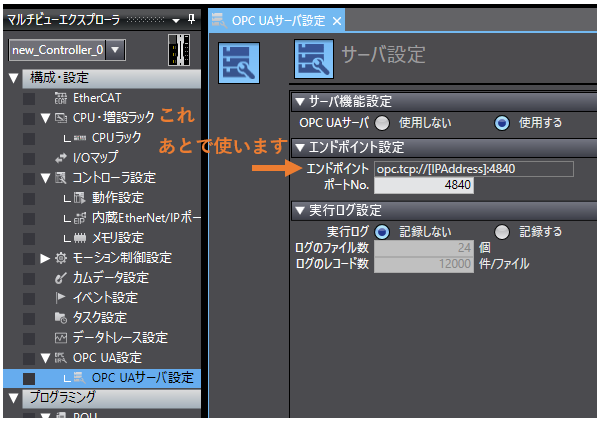
Synchronize with the PLC
Go online with the PLC using the project with the OPC UA server set to Use, and synchronize (transfer)
Security settings
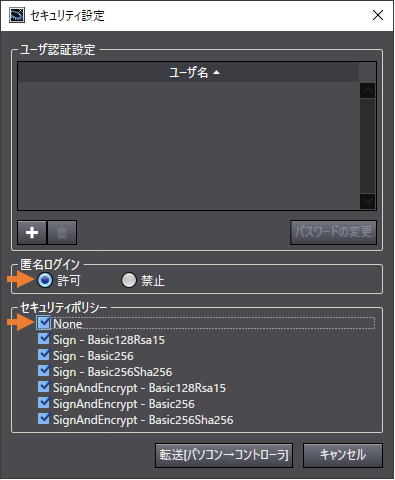
Here we first explain with no security so anyone can connect
Connecting with encryption and user authentication is explained on a separate page
While online,
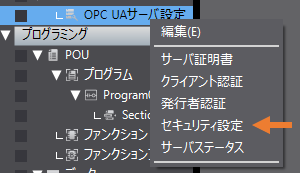
right-click "OPC UA Server Settings" and open "Security Settings"
Allow "Anonymous login" and check None under "Security policy"
Create variables to publish
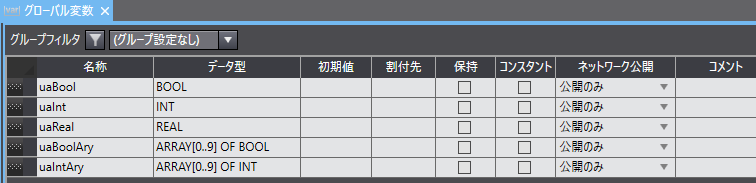
Variables read and written via OPC UA must have Network Publish set to something other than Do not publish
Here, create some test variables and set them to "Publish Only"
After creating the variables, synchronize with the PLC
OPC UA Client
PC application
Mobile app (Android)
Connecting with Prosys OPC UA Client
Coding in Python with the Free OPC-UA Library
Coding in C#
Connecting with UA-.NETStandard or the OPC UA .NET SDK
FAQ
What is OPC UA?
OPC UA is an industrial communication standard for connecting PLCs, SCADA, MES, the cloud and more; it is a vendor-independent standard protocol.
What OPC UA clients are there?
UaExpert, Prosys OPC UA Client, FreeOpcUa for Python, UA-.NETStandard for C# and more.
What settings are needed on the PLC side?
Enable the OPC UA server, set the variables to publish and synchronize with the PLC. Configure security settings as needed.