
PLC COMMUNICATION TEST TOOLS
OSD ToolsPLC Communication Test Tool Set
Talk to Mitsubishi, OMRON, KEYENCE and Modbus devices at the frame level: send, see and verify. Five tools built for the field and the desk, now one series.
Generic TCP/UDP, EtherNet/IP and CIP, MC protocol, FINS and Modbus TCP
Creating and sending commands and the dump display are in the Free edition. Try it first
Register it once and the Pro features of all five tools work on that PC
Lineup
All tools are .NET 10 applications for Windows. They are installed with an installer and grouped in the "OSDTools" folder of the Start menu.
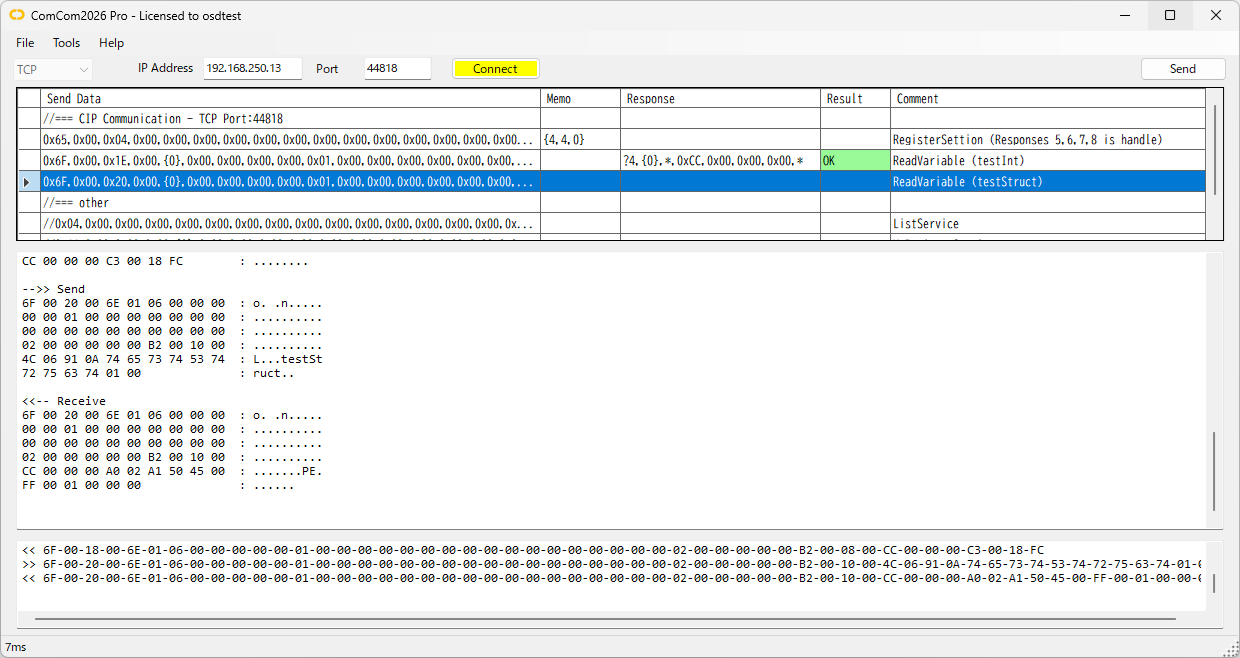

ComCom2026
Generic TCP/UDP communication test tool
Send the messages you build exactly as they are, whatever the protocol, and check the response. With the send list and cyclic send it works for checking almost any device.
- CIP
- FINS
- MC protocol
- KV host link
- Modbus TCP
- TCP/UDP send/receive, line monitor
- Send list and cyclic send
- Memo: reuse a response value in the next send
- Scenario Run (automatic sending)
- Response Check (OK/NG against the expected response)
- Japanese UI
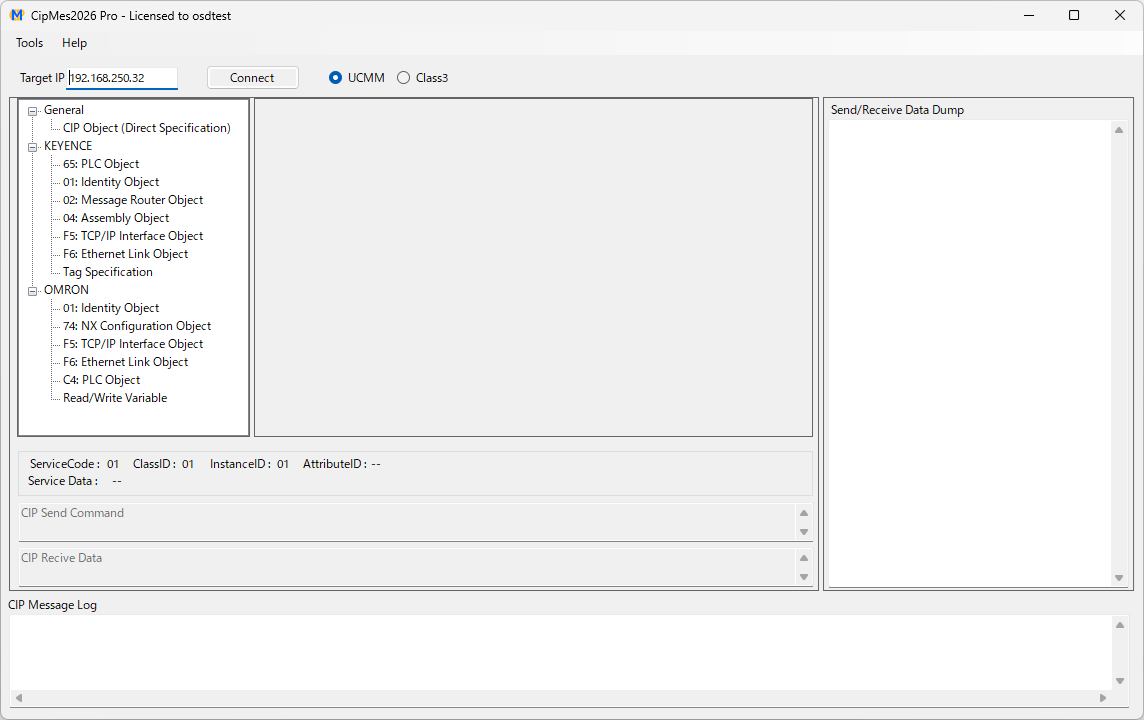

CipMes2026
EtherNet/IP and CIP communication analysis tool
Access CIP objects, tags and variables over UCMM or Class 3. The differences between KEYENCE and OMRON are detected automatically, so checks across makers go smoothly.
- KEYENCE KV series
- OMRON NJ/NX series
- Read and write CIP objects
- Read and write tags and variables
- Dump and CIP message log
- Cyclic reading of tags and variables
- Logging to CSV
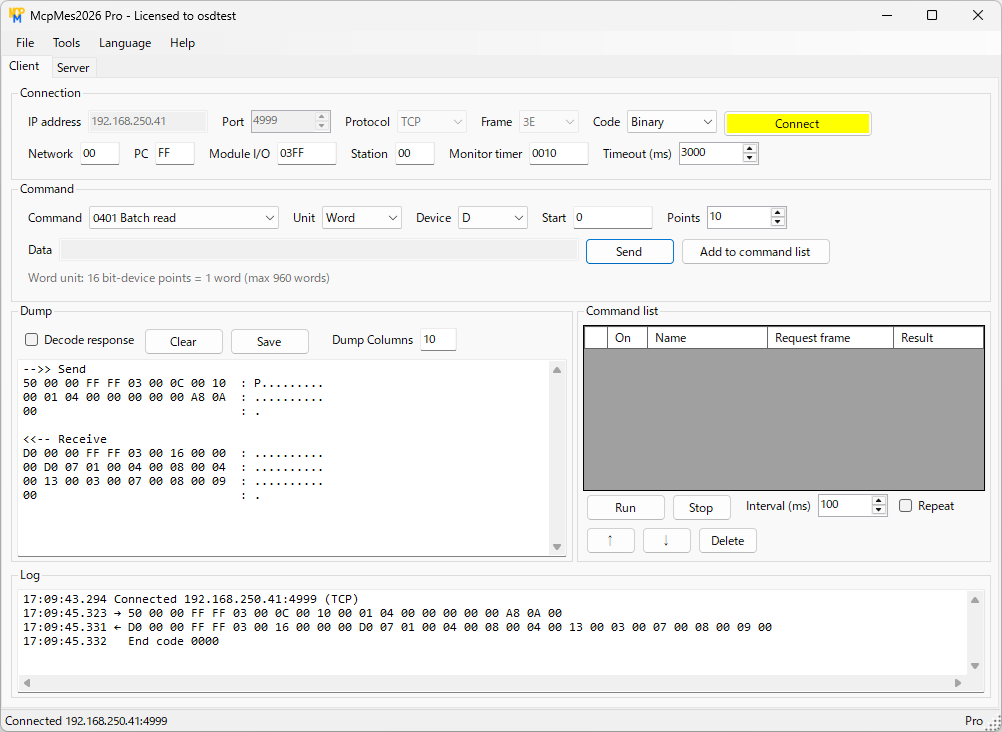

McpMes2026
Mitsubishi MC protocol test tool and server simulator
Build MC protocol commands on screen, from batch and random read/write to remote RUN/STOP, and send them. With the Pro edition the PC can stand in for the PLC.
- Mitsubishi MELSEC iQ-R / Q / L
- TCP / UDP
- Binary / ASCII
- Create and send commands
- Send raw frames entered by hand
- Dump and end code display
- Decoded responses
- Sequential sending from a command list
- Server with virtual device memory
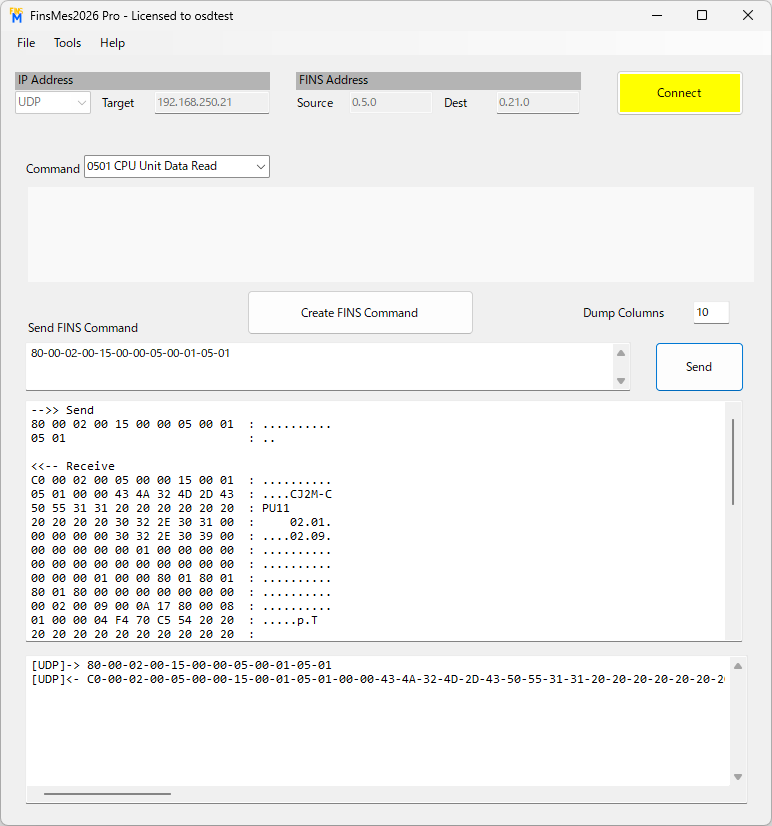

FinsMes2026
OMRON FINS test tool and server simulator
Memory read/write, run/stop, CPU information, clock and error log. For FINS/TCP the node address is obtained automatically, so you can start testing as soon as you connect.
- OMRON CJ / NJ / NX series
- FINS/UDP
- FINS/TCP
- Create and send FINS commands
- Dump display and line monitor
- Direct commands
- Decoded responses
- Command list with sequential run and OK/NG check
- FINS server with virtual memory
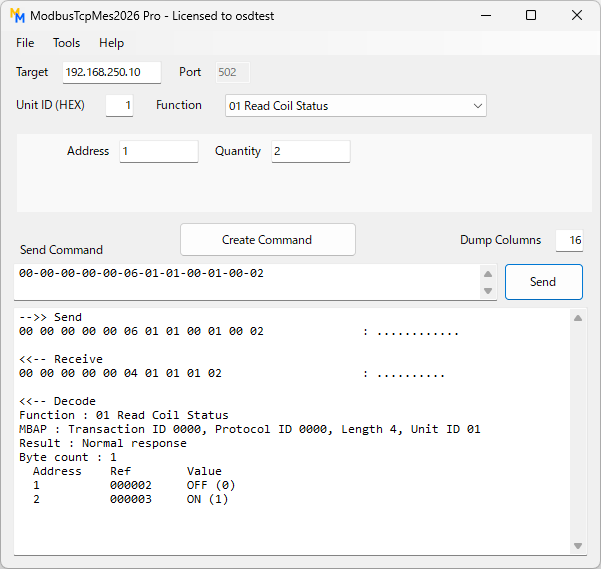

ModbusTcpMes2026
Modbus TCP test tool and server simulator
Supports function codes 01 to 06, 08, 0B, 0C, 0F, 10 and 11. Use it to check PLCs, inverters, meters and other Modbus TCP devices.
- Modbus TCP devices
- Client / Server
- Create and send Modbus commands
- Dump display
- Decoded responses (exception codes)
- Command list with sequential run and OK/NG check
- Modbus TCP server with virtual memory
Feature comparison
| Tool | Protocol | Send commands | Decoded responses | Sequential run / check | Server (instead of a PLC) | Logging |
|---|---|---|---|---|---|---|
| ComCom | Generic TCP/UDP | ○ | - | Pro | - | - |
| CipMes | EtherNet/IP · CIP | ○ | ○ | - | - | Pro |
| McpMes | MC protocol 3E | ○ | Pro | Pro | Pro | - |
| FinsMes | FINS | ○ | Pro | Pro | Pro | - |
| ModbusTcpMes | Modbus TCP | ○ | Pro | Pro | Pro | - |
○: available in the Free edition Pro: Pro edition feature. See "Free and Pro editions" on each tool's page for details.
Getting started
- Download the Free editionDownload the installer from each tool's page. No administrator rights are needed.
- Test with your devicesCheck with the Free edition that the tool can talk to your PLC or device.
- Register the licenseRegister the key you receive after purchase in [Help] - [Register license...] and all tools become Pro.
OSD Tools Pro
The Free and Pro editions are the same program, so there is no need to download again.
The license key is checked offline, so you can register and use it even on PCs on site that are not connected to the internet.
OSD Tools Pro License
Enables all Pro features of ComCom, CipMes, McpMes, FinsMes and ModbusTcpMes.
- One license can be registered on one computer (shared by all five tools)
- Includes 1 year of updates from the date of purchase (versions released before then keep working after that)
- Your license key is shown on screen and sent by email right after purchase
¥5,500 (JPY, tax included)
Please check that the tools work with the free edition before purchasing. Payment by credit card, Apple Pay or Google Pay.
FAQ
Do I need to buy a Pro license for each tool?
No. Once you register an OSD Tools Pro license, the Pro features of ComCom2026, CipMes2026, McpMes2026, FinsMes2026 and ModbusTcpMes2026 are all available on that PC.
Are the Free and Pro editions different programs?
They are the same program. Registering a license key turns the Free edition into the Pro edition, so there is no need to download it again.
Can I use the tools on a PC that is not connected to the internet?
Yes. The license key is checked offline. A full installer that includes .NET is also available.
Does the license expire?
There is no usage time limit. You can use new versions as the Pro edition for 1 year after purchase. Versions released before that date keep working as the Pro edition after it.
What if I want to use the tools on several PCs?
One license can be registered on one PC. To use the tools on several PCs, please buy one license per PC.